WordBubbles
- 4.4
- Rating
- 1.00M
- Installs
- Free
- Price

 Analysis by App-foxy
I spent time with WordBubbles as a casual word puzzle, paying particular attention to how comfortably it works in different everyday situations. It is made by Apprope AB and takes a simple idea—finding words from grouped letters—and turns it into a steady sequence of small challenges. The game is free to start, rated for Everyone, and sits in the word-game category rather than trying to become a broad collection of unrelated activities.
My first impression was that it is easy to understand without a long tutorial. You look at the available letters, identify a word that belongs with the current puzzle, and work through the set in front of you. That makes it approachable for someone who wants a few minutes of mental exercise rather than a complicated strategy game. At the same time, the simplicity can be deceptive: later puzzles ask you to notice patterns, remember possible combinations, and resist tapping randomly when one answer does not immediately appear.
How WordBubbles feels to use in different situations
I find WordBubbles most useful when I match the session to the setting: a quiet pause gives me room to scan the letters, while a shared screen can turn a tricky answer into a relaxed bit of teamwork. The next section looks at how those situations affect the game’s appeal and where its simple, visual format asks for a little extra care.
You May Also Like

 Blood Strike: 2.5 Anniversary
Blood Strike’s Loadouts Turn Every Drop Into a Tactical Gamble
A close look at Blood Strike’s custom loadouts: how fast access to signature weapons reshapes its battle royale rhythm, rewards preparation, and narrows the gap between fights.

 Pandora - Music & Podcasts
Pandora’s Music Is Easy to Start, but Harder to Recover
Pandora’s strength is its low-effort path from a seed to a station. Its weak spot is how much confidence it asks you to place in connection, setup, and quiet recovery.

 8 Ball Pool
 Is Built on Rivalries, Rematches, and Routine
A close look at the rivalries, rematches, shared routines, and unanswered safety questions that turn a quick pool match into a persistent mobile community.

 Samsung Music
’s Quiet Strength Is Playing What You Already Own
Its reach comes less from spectacle than from dependable access to a personal library. That simplicity is both the app’s strongest retention engine and its ceiling.

 AccuWeather: Weather Radar
AccuWeather Review: A Quick, Clear Forecast for Everyday Decisions
For everyday plans, the best forecast is the one you can understand quickly. AccuWeather makes rain timing, radar, and local conditions easy to act on, with a few trade-offs.

 Hill Climb Racing
Why Hill Climb Racing Still Turns Crashes Into One More Run
A tiny car, a bumpy hill and one more upgrade: Hill Climb Racing keeps resurfacing because its simple chaos makes every near-miss feel personal.
More From Our News Desk
View All News


Readability and navigation are strongest when you want a calm puzzle
The main appeal for me is the clear relationship between the letters and the task. There is little to learn before playing, so I could begin solving instead of searching through menus. That matters for a word game because the pleasure comes from spotting the answer, not from managing a complicated interface. The compact format also makes it suitable for short sessions while waiting for an appointment, riding as a passenger, or taking a break from work.
Its presentation is best suited to players who can comfortably distinguish letters on a small screen. The game depends heavily on visual recognition, so the experience is naturally easier when the display is bright, the text is readable, and the player is not rushing. I found that slowing down improves the game more than repeatedly tapping. A quick scan of every available letter, followed by grouping likely beginnings and endings, is usually more productive than guessing one word at a time.
Navigation feels uncomplicated because the core action stays in focus. I did not need to learn a large set of controls or keep track of several systems at once. That is a real advantage for younger players, occasional puzzle fans, and anyone who becomes frustrated by busy game screens. The trade-off is that people who enjoy elaborate maps, character progression, or a strong narrative may find the surrounding experience spare.
One useful habit is to read the whole arrangement before committing to an answer. When I treated each letter as part of a larger pattern instead of viewing it in isolation, I was less likely to overlook shorter or less obvious words. This also makes the game more comfortable for players who need extra time to process visual information: the challenge rewards observation, not speed.
The game’s broad audience is reflected in its Everyone content rating, but that should not be confused with guaranteed comfort for every player. A family can hand it to a child or an older relative without worrying about mature themes, yet the ability to read the displayed letters remains central. Someone with reduced vision may need a larger device, stronger screen contrast, or system-level display adjustments to make the puzzles practical.
Motor and sensory considerations change the experience
Word puzzles generally ask less of the hands than action games, and that is one of this title’s strongest inclusive qualities. There is no need for rapid movement, precise aiming, or repeated complex gestures. A player who prefers deliberate taps can approach each puzzle at their own pace. For me, this made it a better fit than fast arcade alternatives when I wanted something engaging without physical urgency.
That does not mean the controls are effortless for everyone. The game still requires accurate contact with individual letters, and small targets can be tiring for people with tremors, limited dexterity, or difficulty maintaining a steady touch. A stylus or a larger screen may help in those cases, although I would not treat either as a guaranteed solution. If tapping a particular letter repeatedly is uncomfortable, this may not be the right word game for you.
The sensory load is relatively focused: attention goes mainly to the puzzle, the letters, and the act of selecting answers. That can make it easier to settle into than a game filled with flashing effects and constant movement. It is a good choice for a quiet break, especially when you want a task that occupies your mind without demanding fast reactions.
On the other hand, a visually focused puzzle can become difficult in glare, dim light, or a crowded environment. I noticed that my accuracy dropped when I tried to play while walking between places or while surrounded by distractions. The practical solution is simple: use it when you can look at the screen steadily, increase the device’s text size or contrast if those settings help, and avoid treating it as a game that must be played in motion.
Sound is not the reason to choose this title. The meaningful information is on screen, so someone who prefers silent play can enjoy the basic puzzle loop without needing spoken instructions or a soundtrack to understand what is happening. That is useful on public transport, in a waiting room, or beside someone who is sleeping. Players who need audio guidance rather than visual clues may find the format less suitable.
A further consideration is cognitive fatigue. The puzzles are approachable, but searching for words can become mentally repetitive during a long session. I get more from it when I stop after a few rounds and return later. That routine also prevents the game from turning into a frustrating test of persistence. For players with attention difficulties, short sessions and a quiet setting may work better than trying to clear a large number of puzzles in one sitting.
Situational access makes it useful beyond casual play
I can see three especially practical ways to use it. The first is as a short reset between demanding tasks. Instead of opening a game that requires remembering a complicated objective, I can solve a small word puzzle and put the phone away. The second is as a low-pressure activity for sharing a device with a family member. One person can suggest possible words while the other taps, turning the puzzle into a cooperative conversation even though the game itself is designed around individual solving.
The third is as a quiet alternative when a player wants to practise attention to spelling and word patterns. I would not present it as a formal learning tool, but it naturally encourages looking at letter order, common combinations, and the difference between an almost-correct guess and a valid answer. A parent could use it as an occasional screen activity for a child who already enjoys words, while remembering that the game is entertainment rather than a structured lesson.
It also works well for people who dislike time pressure. I prefer it to many quick-fire word games when I am tired because the central task is finding the answer, not beating a countdown. That distinction matters for players who need a slower pace, are playing in a second language, or simply want to think without feeling hurried. If your ideal word game is a race against other players, however, this may feel too solitary and restrained.
The free entry point lowers the risk of trying it. You can see whether the letter puzzles suit you without paying before you know how often you will play. The game does include in-app purchases ranging from $0.99 to $49.99 per item, so I would recommend checking the purchase flow carefully if a child uses the device or if you prefer to keep all spending under control. The presence of optional purchases does not automatically make the game unsuitable, but it is part of the decision when choosing a family-friendly app.
Device age is another practical point. The listed minimum operating-system requirement is version 7.0, which makes the game potentially usable on a wide range of older supported devices. In real use, the more important question is whether the screen is comfortable for reading and tapping. An older phone with a small or dim display may technically run a word puzzle while still providing a tiring experience.
Where it differs from familiar word-game alternatives
Compared with crossword apps, this is easier to enter because you do not need to understand a grid of clues or commit to a long session. Crosswords are better when you enjoy definitions, general knowledge, and intersecting answers. Here, the focus is more immediate: inspect the letters, test a word, and continue. I found that difference valuable on days when I wanted a compact challenge rather than a full page of clues.
Compared with anagram games, the experience can feel more guided because the letters are presented as part of a specific puzzle arrangement instead of an entirely open scramble. That can reduce the feeling of staring at a random pile of characters, though it also means players looking for unlimited creative word-building may prefer a more open-ended alternative. The right choice depends on whether you want a clear next step or a larger space to experiment.
Compared with competitive word games, WordBubbles is more private and less demanding socially. There is no need to wait for another player or worry about matching someone else’s speed. That makes it friendlier to people who find competition stressful, but it removes the excitement of a live opponent. I would choose it for decompression and choose a multiplayer word game when motivation comes from rivalry.
Its strongest competitive advantage is not depth of presentation but accessibility of the basic idea. A person can understand what to do quickly, play with limited hand movement, and stop whenever necessary. Its weakness is the same simplicity: players who need rich explanations, adjustable challenge systems, or a strong sense of long-term progression may want a more elaborate title.
Remaining barriers worth considering before installing
The biggest barrier is visual dependency. Because the puzzle is built around reading and selecting letters, the experience may not translate well for someone who relies on audio or needs very large, highly adjustable text. I would test it on the intended device rather than assuming that a simple interface is automatically accessible. A large tablet can make a meaningful difference compared with a compact phone, particularly during longer sessions.
Another barrier is the possibility of tapping errors. When the screen is small, a deliberate player may still hit a neighboring letter, especially when using one hand or playing on a moving vehicle. This is not a major problem in a quiet room, but it becomes more noticeable in real-world conditions. If precise touch is difficult, a game with larger controls or voice-based interaction may be a better match.
The game can also be a poor fit for people who need explicit instructions for every puzzle or who dislike learning through trial and observation. Its straightforward design is welcoming once the basic interaction makes sense, but a player who expects extensive guidance may need someone nearby for the first session. Sharing the first few puzzles can solve that issue, especially for children or relatives who are less familiar with mobile games.
In-app purchases deserve a second look from a budgeting perspective. The game is free, but the available item prices extend from a small amount to a much larger one. I would use device purchase controls and explain them clearly before giving the phone to a child. For adults, the sensible approach is to decide in advance whether the free experience is enough and avoid buying simply because a difficult puzzle has become irritating.
Finally, repetition may become a limitation for experienced word-game players. The accessible loop is also the main loop, so someone seeking a deep campaign, a story, or constant mechanical change may lose interest. I would skip it if your priority is competitive ranking, elaborate accessibility customization, or a large variety of puzzle formats. It is better understood as a focused word pastime than as an all-purpose game collection.
My inclusive verdict
After using it as a quiet, short-session puzzle, I think WordBubbles is a sensible recommendation for people who enjoy reading-based challenges and prefer low-pressure play. Its simple interaction reduces the motor demands found in many other mobile games, and its Everyone rating makes it easy to consider for a mixed-age household. The fact that it has passed one million installs and holds a 4.4 average from around sixty-four thousand ratings suggests that its basic format has found a substantial audience, though popularity alone should not decide whether it suits your needs.
The current version is 2.3.7, and the game has been available since October 29, 2014. Those details matter mainly as context: this is an established word-game concept rather than a brand-new experiment. I would install it on a device with a comfortable display, try several puzzles in a calm setting, and judge the letter size and tapping accuracy before deciding whether it belongs in a daily routine.
My recommendation is strongest for patient solo players, families looking for a quiet shared activity, and anyone who wants a word challenge without timers or complicated controls. I would be more cautious for people with significant visual or motor barriers, players who need audio-led interaction, and fans of competitive or story-driven games. In those cases, another word app with larger controls, stronger customization, or multiplayer features may serve you better.
For me, the best way to enjoy it is in small bursts: scan the whole puzzle, look for familiar letter patterns, tap deliberately, and stop before concentration turns into fatigue. That approach highlights what the game does well while keeping its limitations manageable. It is not a universal accessibility solution, but as a focused and calm word pastime, it offers a straightforward experience that many players can make work with the right device and setting.
FAQs for WordBubbles
01What is WordBubbles and how does the game work?
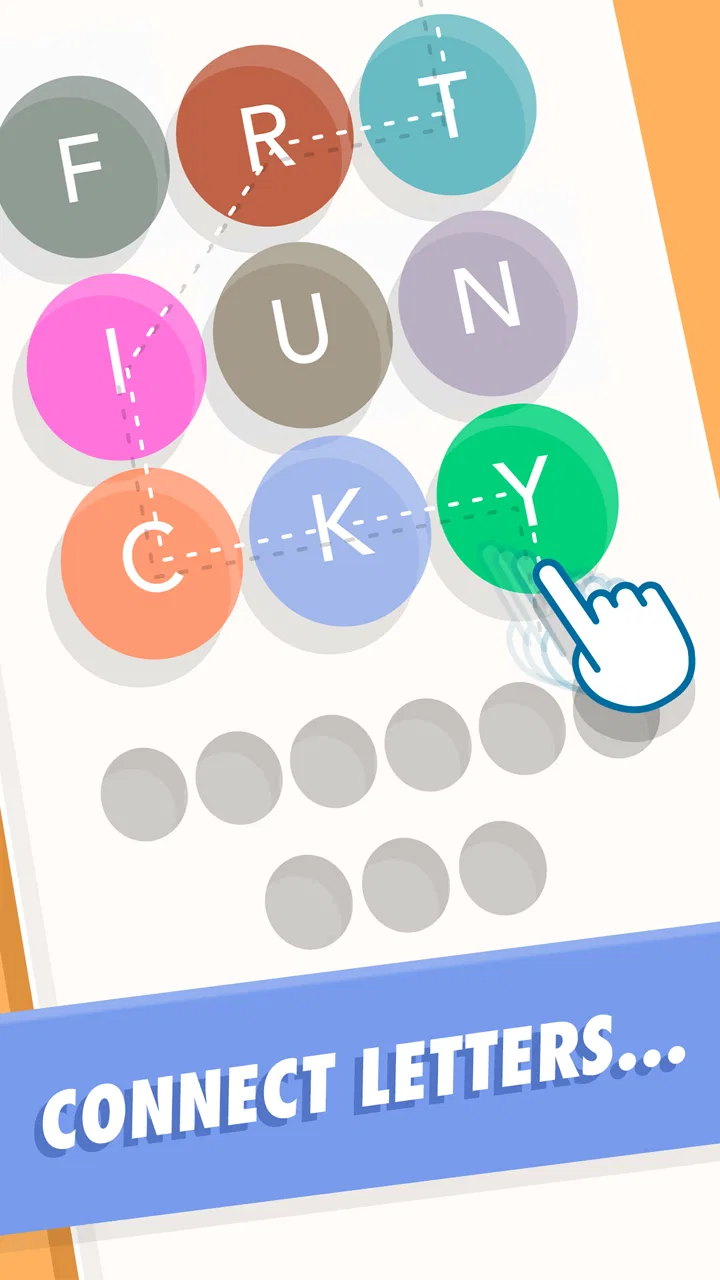
WordBubbles is a casual word puzzle game built around connecting letters to form hidden words. Each level presents a themed set of bubbles or letter groups, and you solve the puzzle by finding the correct words in the available arrangement. The early stages are easy to understand, while later levels require stronger vocabulary, careful observation, and more strategic thinking.
02Is WordBubbles free to download and play?
WordBubbles can generally be downloaded and played for free, making it easy to try without an upfront purchase. However, the game may include advertising, optional in-app purchases, or other systems designed to support continued development. Players should check the store listing for the current pricing details, available purchase options, and whether specific features or resources require payment.
03Does WordBubbles require an internet connection?
Many of the basic puzzles in WordBubbles can typically be played without a constant internet connection, which is useful when traveling or when mobile data is limited. Nevertheless, an internet connection may be needed for advertisements, rewards, updates, synchronization, or in-app purchase verification. Offline availability can vary by version and device, so it is worth testing the game before relying on it completely offline.
04Is WordBubbles suitable for children and beginners?
WordBubbles is approachable for beginners because its controls are simple and the introductory levels explain the main gameplay naturally. It can also be suitable for children who enjoy vocabulary games, although the difficulty and word selection may vary between levels. Parents should review the app’s age rating, advertising, privacy information, and purchase settings before allowing younger players to use it independently.
05What should I do if I get stuck on a WordBubbles puzzle?
If a puzzle becomes difficult, start by looking for short and familiar words before attempting longer combinations. Rearranging your attention around different letter groups can reveal solutions that are easy to overlook. Depending on the version, WordBubbles may also offer hints or other assistance, sometimes in exchange for earned resources or through optional purchases. Using help sparingly keeps the challenge enjoyable.
Pros
- Simple bubble-based gameplay is easy to understand from the first round.
- Short levels make it convenient for quick breaks or casual play.
- Word puzzles can help improve spelling and expand everyday vocabulary.
- The colorful interface feels friendly and accessible for different age groups.
- Increasing difficulty keeps the challenge engaging after the basic levels.
Cons
- Some puzzles may feel repetitive after extended play sessions.
- Hints can reduce the challenge if used too frequently.
- Later levels may depend on knowing uncommon or less familiar words.
- Small bubble layouts can make certain letters harder to spot quickly.
- Progress may feel slow for players who prefer fast-paced games.

WordBubbles
Gallery